
Help your parents with their tech, from wherever you are
They press one big button. You see through their phone camera and show them exactly what to press, on the TV, the router or the washing machine.
Only the two of you can see the call. Nothing is recorded.
On the App Store and Google Play. No account needed.

Remote help in three steps
They press one button
Your mom or dad opens HelpMom and presses the big button. Your phone rings like a normal phone call.
You see what they see
Their camera shows you the remote, the screen or the blinking lamp. No more describing and guessing.
You show them what to do
Freeze the picture and draw a ring around the right button. They see it at once on their own screen.
See the app
Real screens from HelpMom, as they look on the phones.
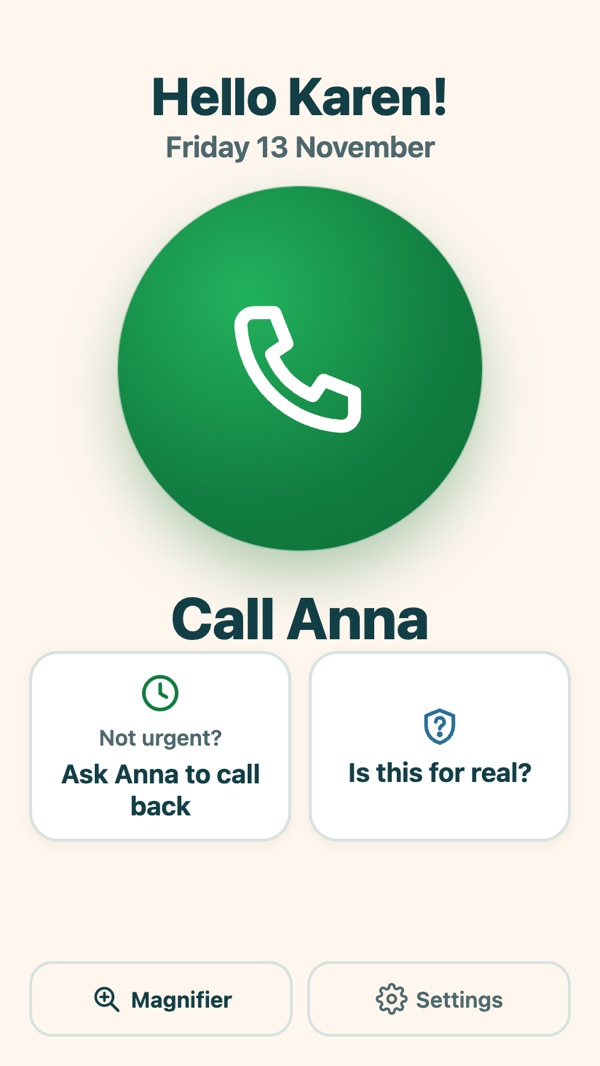
Their start screen: one big button 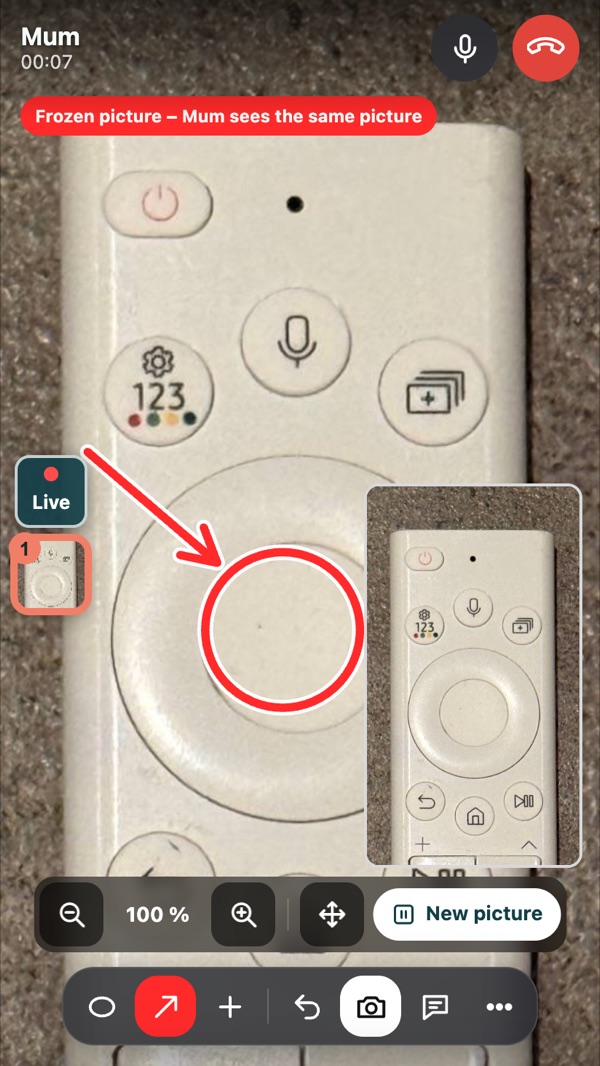
You freeze the picture and draw 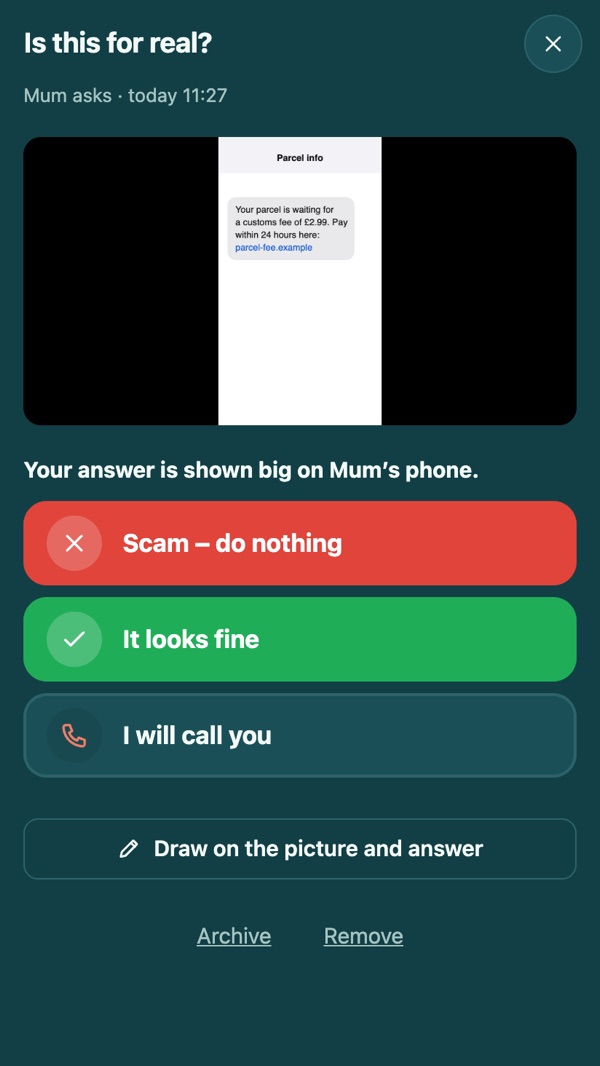
“Is this for real?” answered in one tap 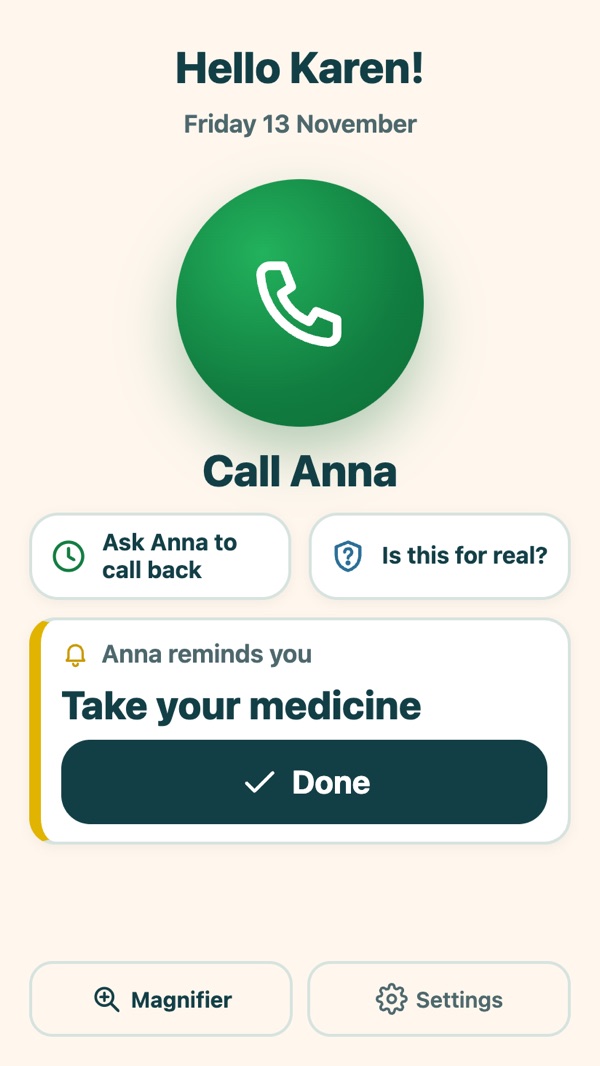
A reminder they tick off


Only the two of you
A camera in a parent's home deserves care. HelpMom is built so that there is very little for anyone else to see, and nothing to sell.
Two paired phones
You pair the phones once, with a nine-digit code or a QR code. Nobody else can join, ring in or watch.
Between the phones
Picture and sound are encrypted and go directly between the two phones. We cannot see or hear a call.
Never recorded
Calls are not recorded or stored anywhere. Guides, notes and the call log stay on your own phones.
No account
No sign-up, no password and no user database. There is very little about you to store.
No ads, no tracking
No advertising, no tracking and no analytics. Nothing is sold or shared for marketing.
Camera only when you choose
The camera is on only after the person presses Call, Answer, Take picture or Magnifier, and off again when that is done. Nobody can switch it on from afar.
A strange text? Ask first
Scammers count on people getting flustered and acting at once. With HelpMom your parent shows you the text, e-mail or letter first, and gets your answer big on the screen.
- The “Is this for real?” button on their start screen
- You answer with one tap: “Scam – do nothing” or “It looks fine”
- The answer arrives even when their app is closed

Point at it, instead of explaining it
“The third button from the left” never works over the phone. A ring around the button does.
- Freeze the picture and draw rings and arrows on it
- Tap to point, or add numbered steps and a “Press here” stamp
- Send large text that the phone can read aloud
- Zoom in; their screen follows yours
Made for real homes and real appliances
Draw on a frozen picture
Hold several frozen pictures in one call and switch between them while you explain.
Rewind 30 seconds
Did the error message flash by? Go back and freeze a moment that already passed.
Large text, read aloud
Send a short message in big letters. Their phone can read it out loud.
Rings like a real call
Your phone rings like a phone call, also when the app is closed. You can ring them too.
Guides and short films they can open later
The steps from a call become a saved picture guide for that appliance. You can also record a short film, stop it where it matters and draw on the picture. Next time they may not need to ring.
Camera and flashlight from afar
Switch between their front and back camera, and turn on the flashlight behind the TV, from your side.
Reminders every day
“Take your medicine” at 8, or change the smoke alarm battery. The reminder comes right on time, and you see when they have tapped Done.
Everything about their appliances
Pictures of the type plate and cables, the Wi-Fi password, the manual and the warranty, kept for each appliance.
Important numbers
The health centre, the pharmacy and a taxi become big call buttons on their phone.
For your parent: one button, nothing to learn
HelpMom treats older people as the capable adults they are. It is just built so that nothing gets in the way.
- One big button to get help
- Large text, in three sizes
- A practice mode, to try it in peace
- English, Swedish, German, Spanish, French, Norwegian and Danish
- Reminders right on time, and important numbers as big buttons

Next time, skip the drive
Set it up once, while you are visiting. After that, help is one button away.
Get HelpMom